
If you want to delete your account from the Balantia app, follow these steps:
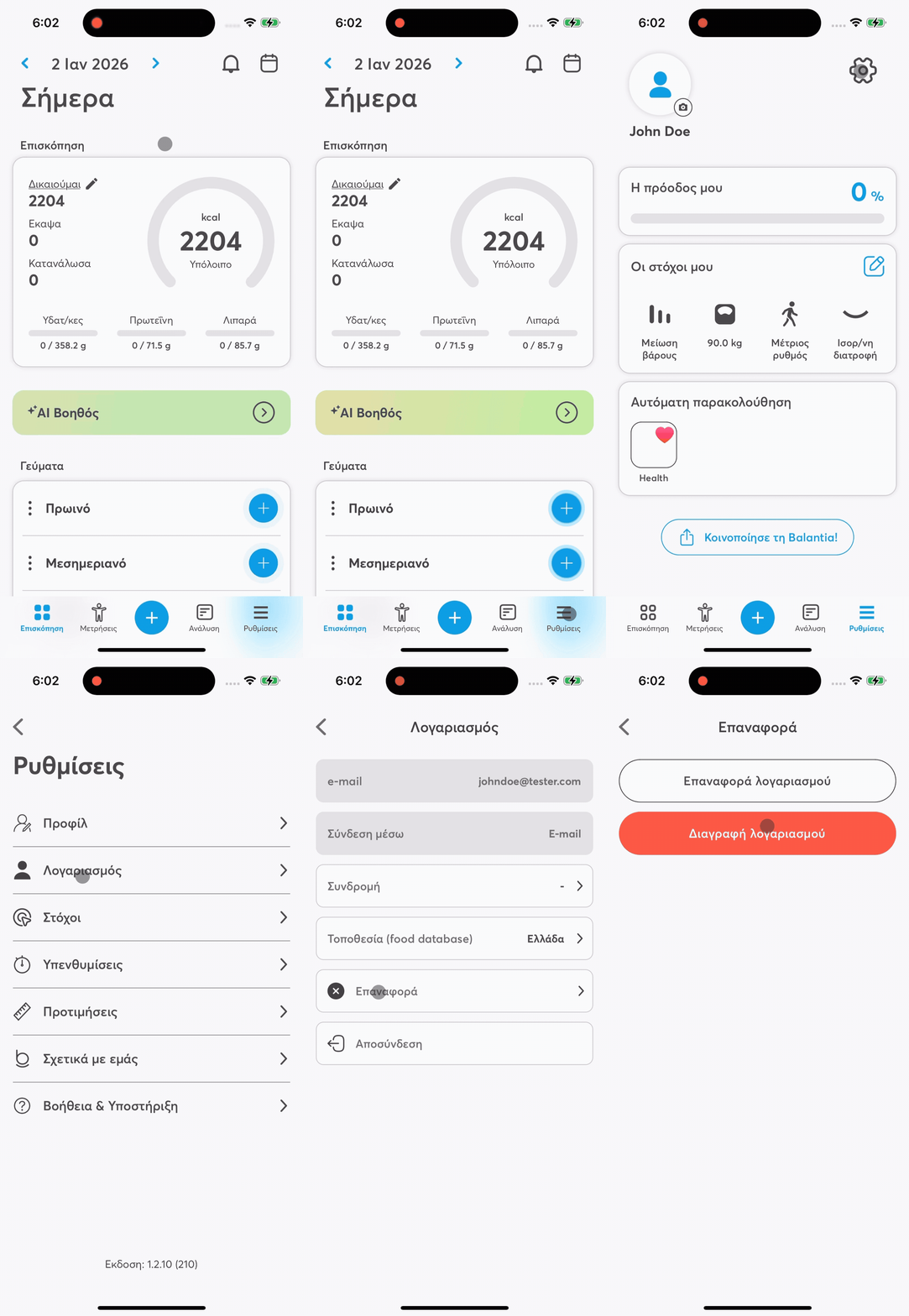
Go to the bottom of the screen
That's where the main navigation icons of the app are.
Open Settings
Tap the gear icon at the top right.
Select “Account”
Inside Settings, go to the Account section.
Tap “Reset Account”
You'll find this option in the menu.
Select “Delete”
On the next screen, tap “Delete” to proceed with the permanent deletion of your account.

Once your account is deleted, all your data will be deleted permanently and can't be recovered.