
You can contact the support team of the Balantia app by following these steps:
Go to the bottom of the screen
There you'll find the line with the main app navigation icons.
Open Settings
Tap the gear icon at the top right.
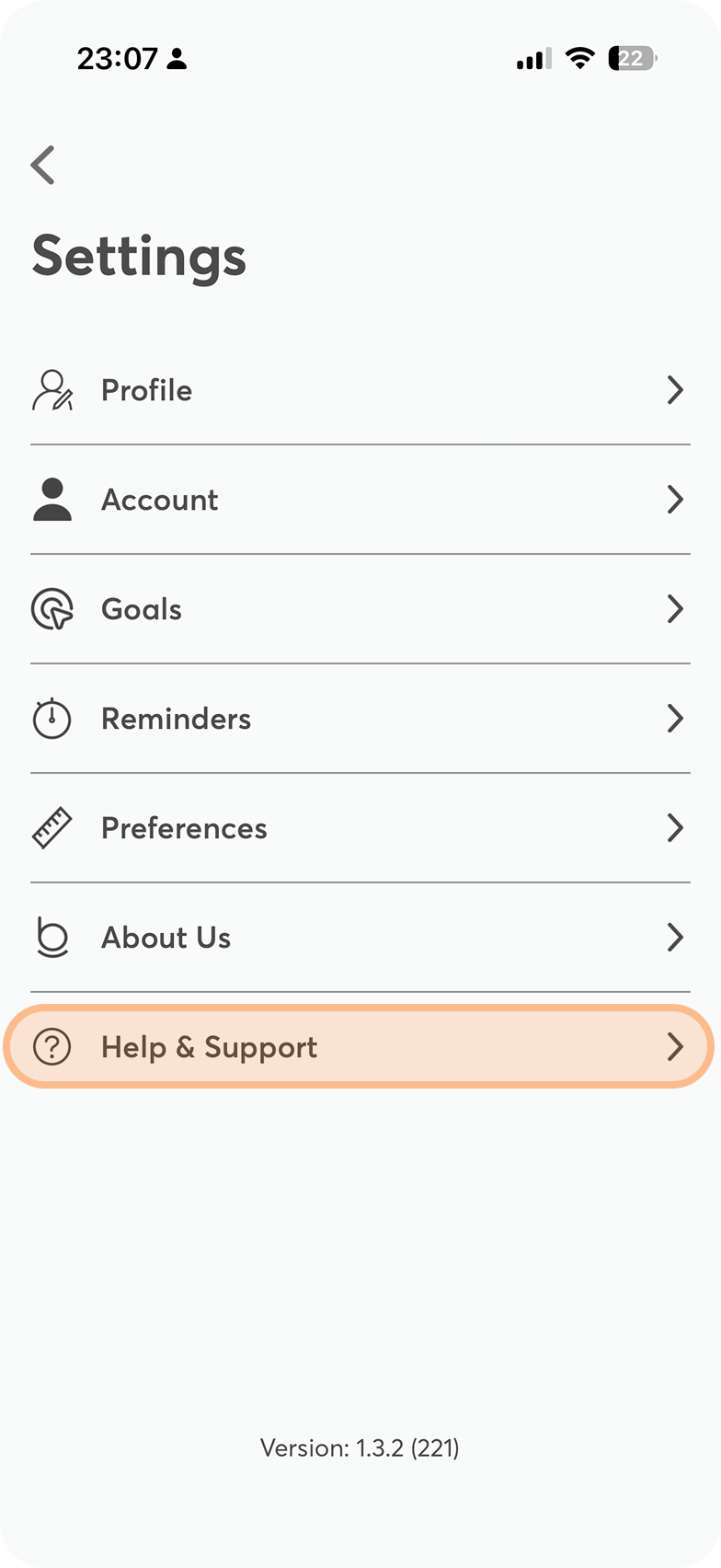
Select “Help & Support”
Inside the settings menu, select the Help & Support section to see your available options.
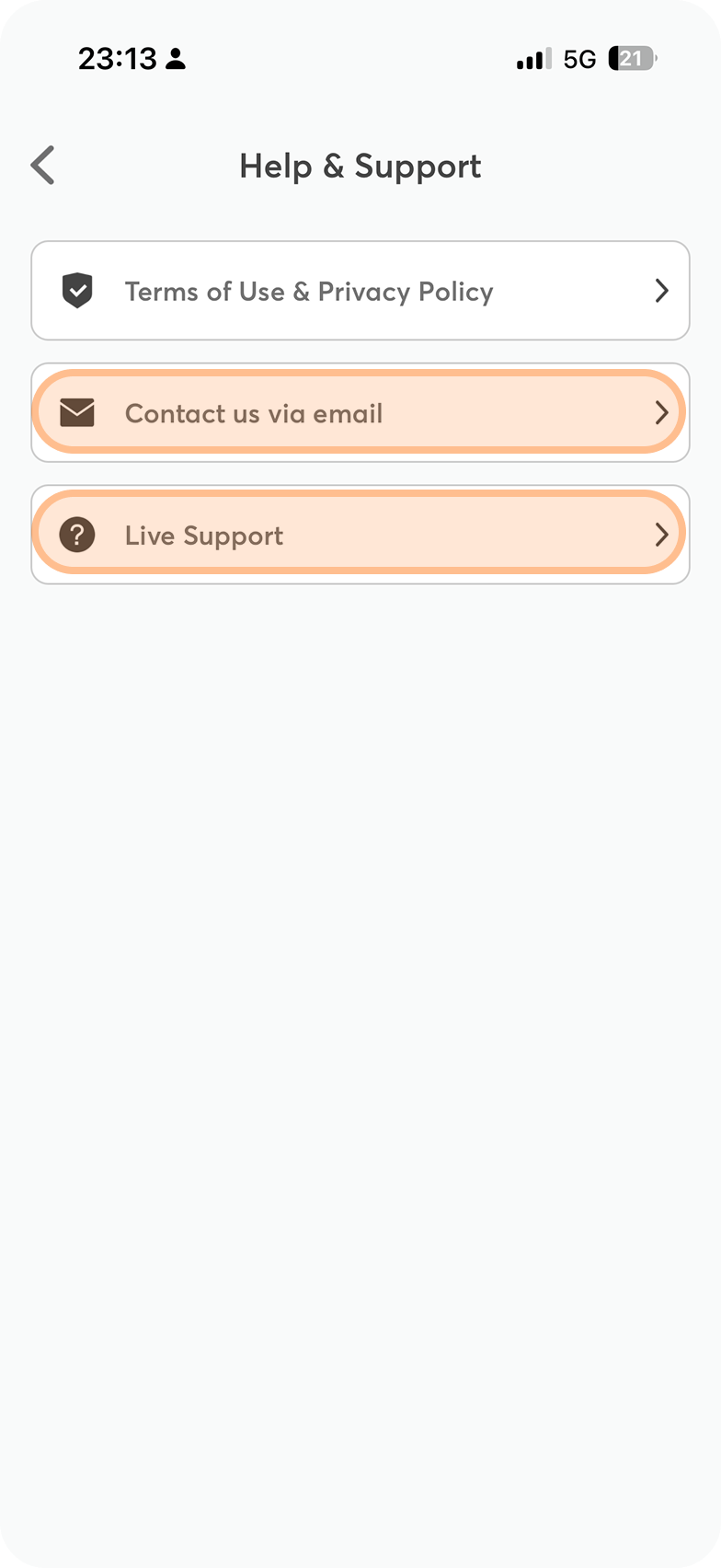
Tap “Live Support”
From there you can use Live Support to chat directly with our team and get real-time help.
Alternative way to get in touch
You can also send us an email at [email protected].
The Balantia support team is always happy to help you and will get back to you as soon as possible.