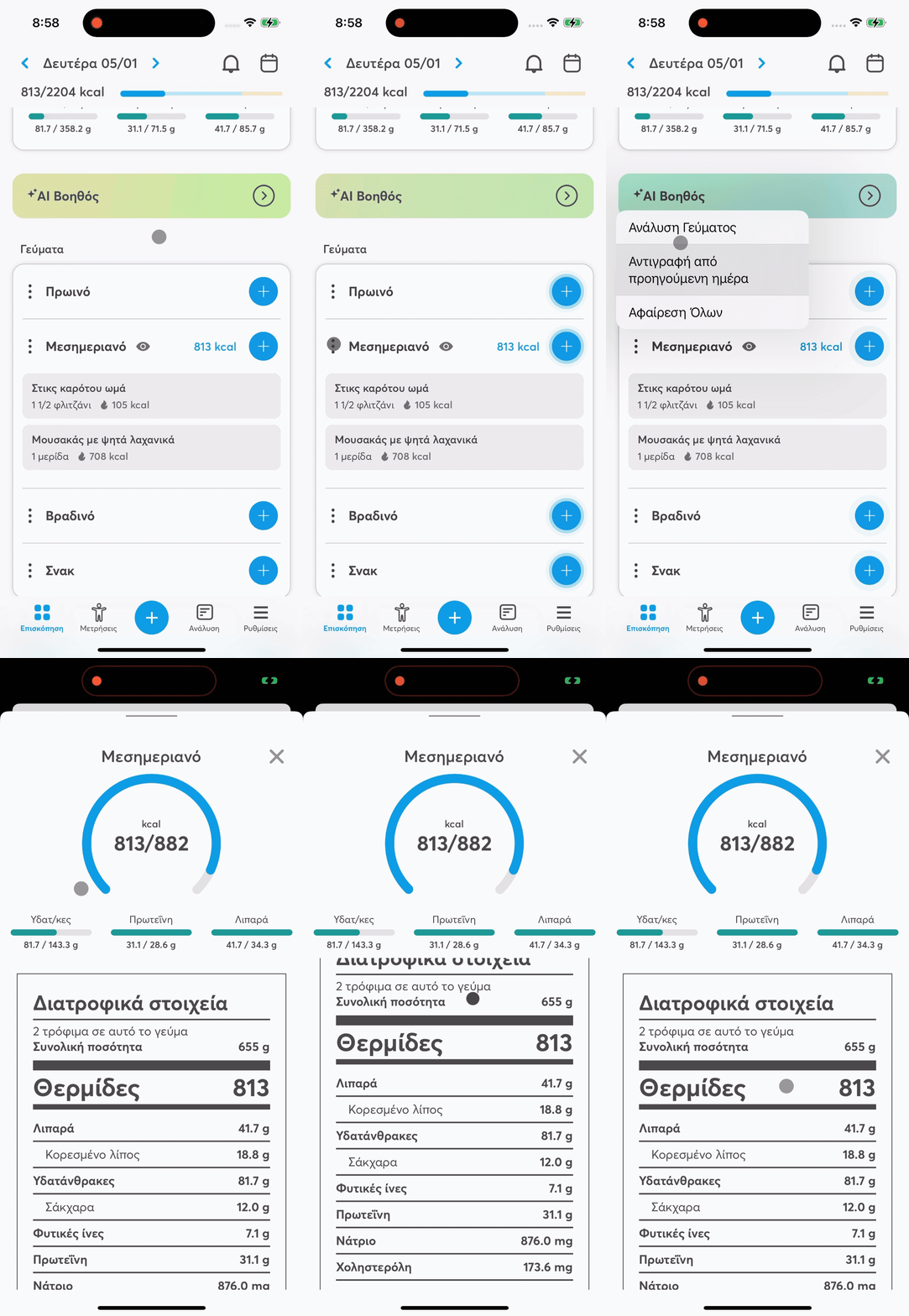
To see detailed info about a meal, just follow these steps:
The balantia app lets you check out detailed info for every meal you log, so you get a better idea of what’s in it and how it affects your overall diet.
How do I view a meal analysis?
Find the meal you’re interested in on the main screen (e.g., breakfast, lunch, dinner, or snack).
Tap on the menu with the three dots (⋮) that appears next to the meal name.
Select “Meal analysis”.
What info shows up in the analysis?
In the meal analysis you can see:
the calories of the meal
the macronutrients (protein, carbs, fats)
the micronutrients (where available)
the comparison with your daily limits, so you know how the meal fits your goals
This way, balantia helps you better understand what you eat and make more mindful food choices, fitting your personal goals.