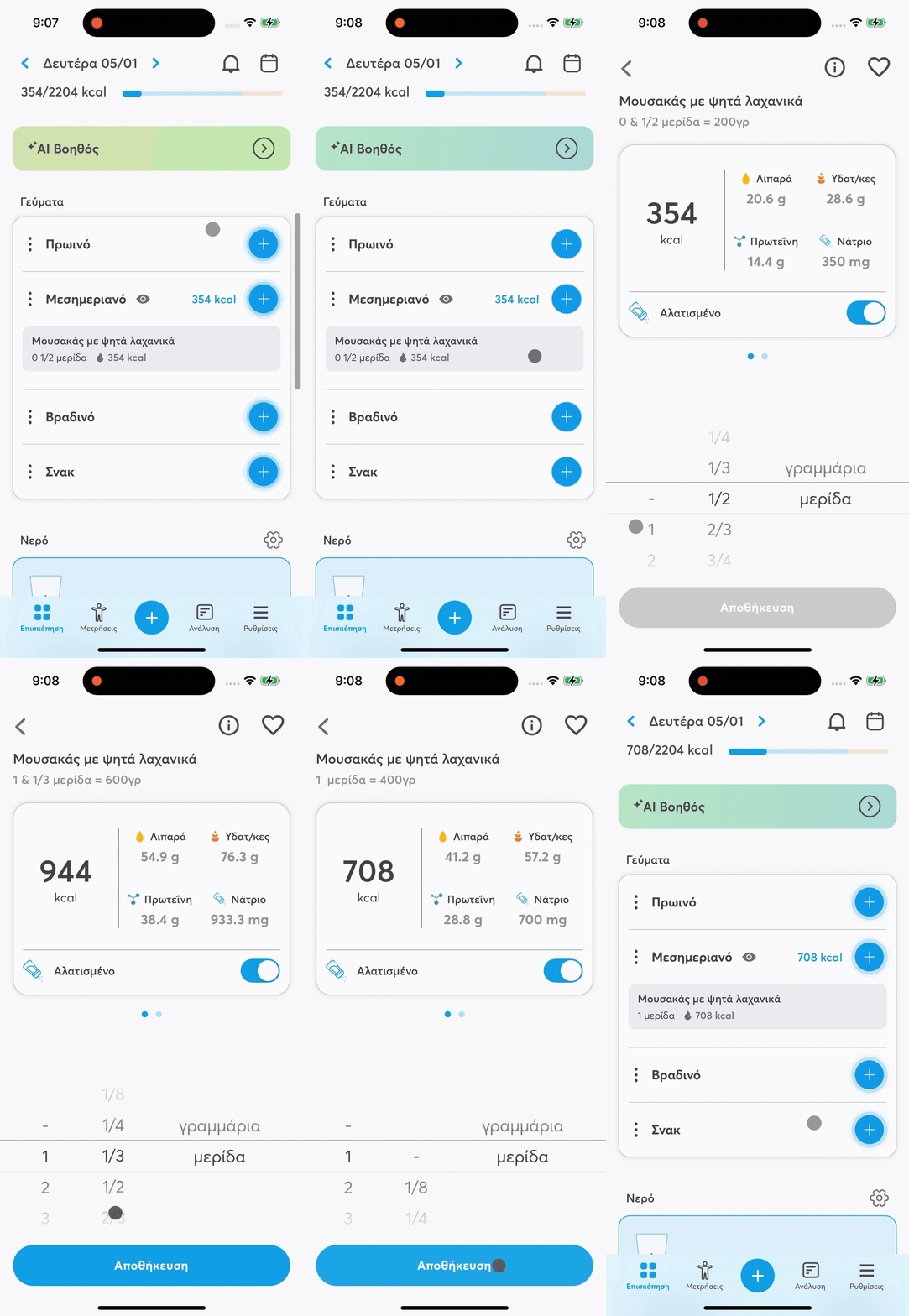
You can edit any entry in your meals easily and quickly.
Find the food item you want to edit in your meal.
Tap once on the food item.
You’ll be automatically taken to the food item details screen.
There you can:
change the quantity
select a different unit of measurement
edit the salt content (where supported)
Changes are saved instantly and automatically update:
the calories of the meal
the nutrients
the overall daily intake