
Search in the balantia app lets you quickly find foods, products, and entries, so you can easily log your nutrition.
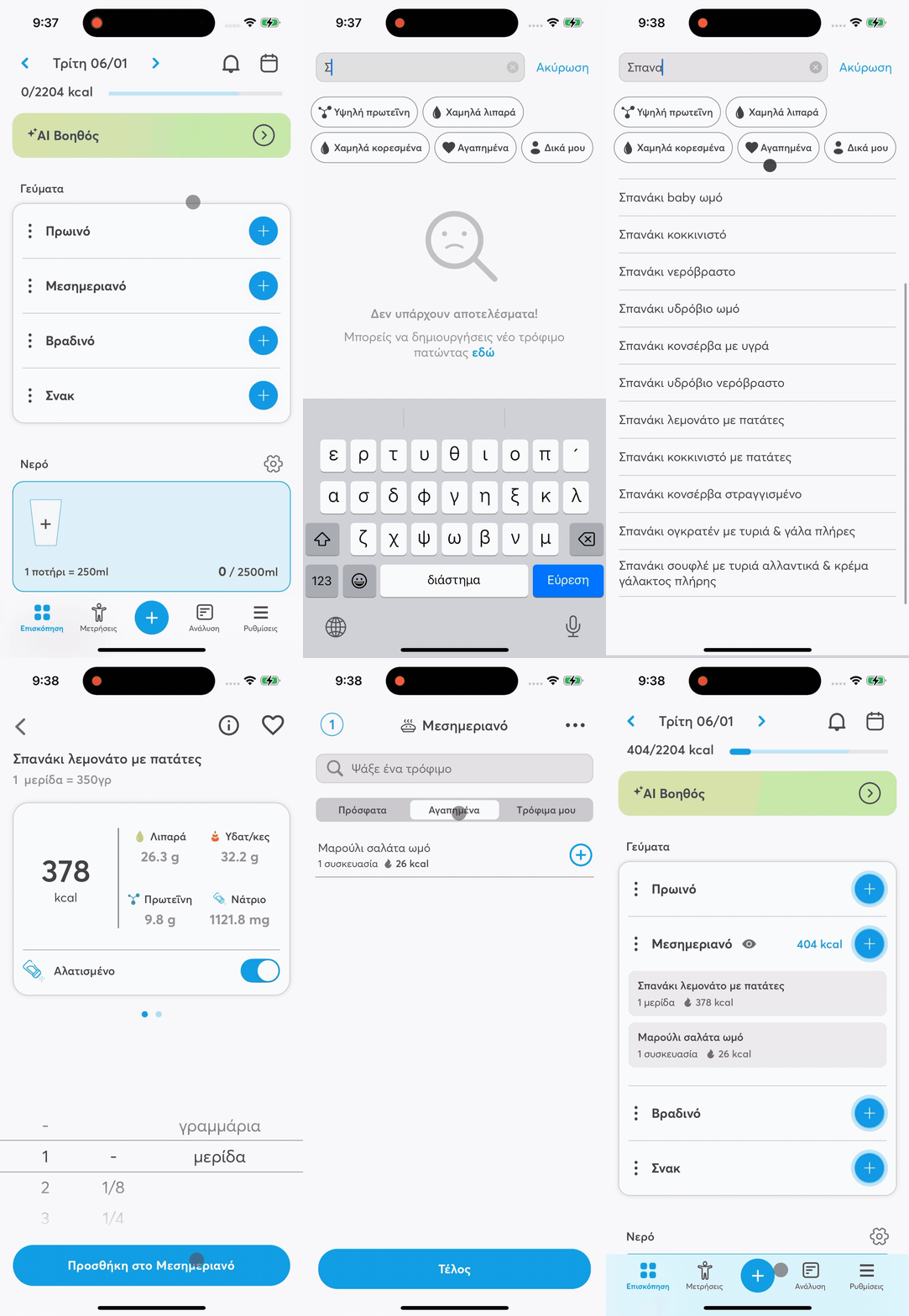
🔍 How do I use search?
Find the meal you want to add food to.
Tap the + icon to add food.
In the search bar at the top of the screen, type:
the name of the food (e.g. “chicken”, “rice”) or
the product/brand name.
As soon as you start typing, relevant results show up instantly.
🧭 Search filters
To find what you're looking for faster, you can use filters like:
Favorites
Recent
My foods
Plus, while you're typing, smart filters also show up, like:
High protein
Low fat
Low saturated
Favorites
My own
These filters help you find foods that fit better with your nutrition goals.
🤖 Alternatively: Use AI Assistant
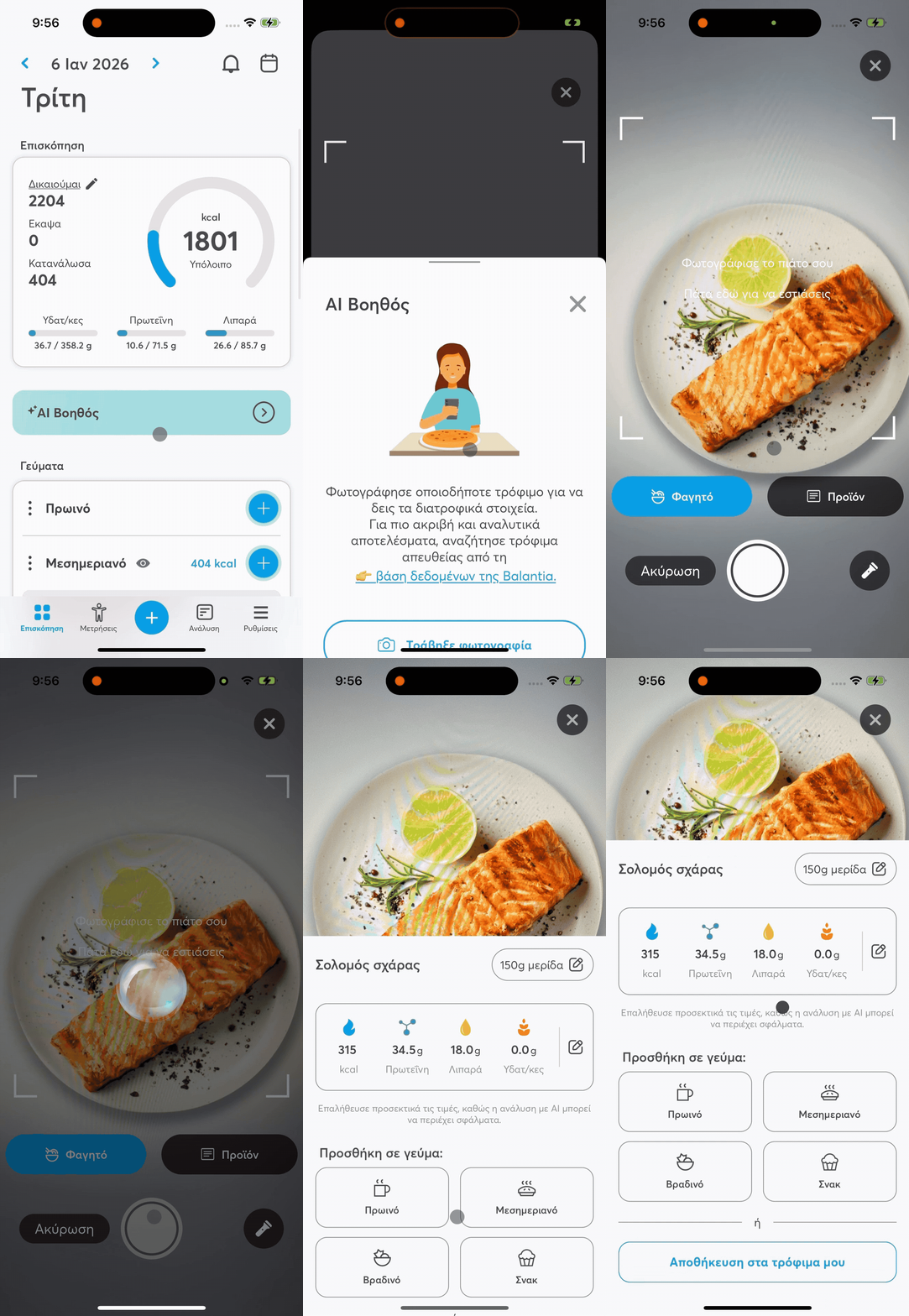
You can also use the AI Assistant for even faster entry:
Take a photo of your meal or the label of a product. The assistant automatically recognizes the foods and guides you in entering them.
If you already have a photo, you can upload it from your device's gallery.
With these tools, you can track your foods easily, quickly, and accurately, always having a full picture of your nutrition right from the balantia app.